


ARC Raiders - Map & Tracker
4.7119.00 Reviews
App Specs
- Version
- 1.0.21
- Updated On
- License
- Free
- Downloads
- 50,000+
- Developer
- brightfox
- Categories
- Maps & Navigation
- Platform
- Android
Screenshots
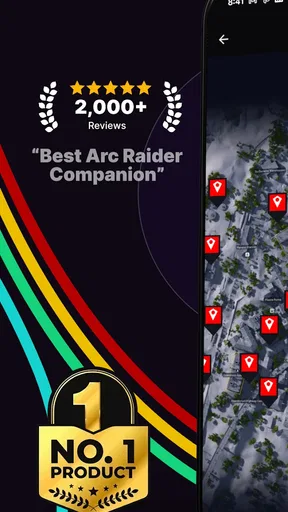
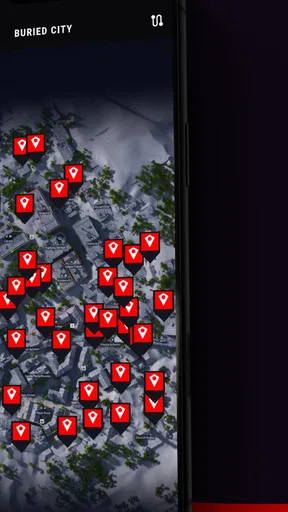
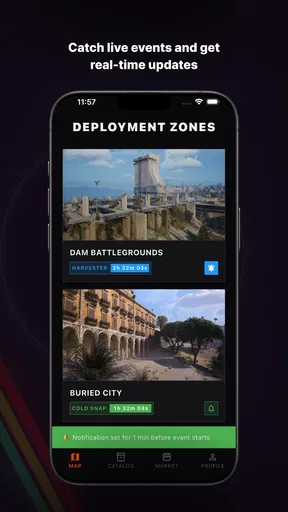
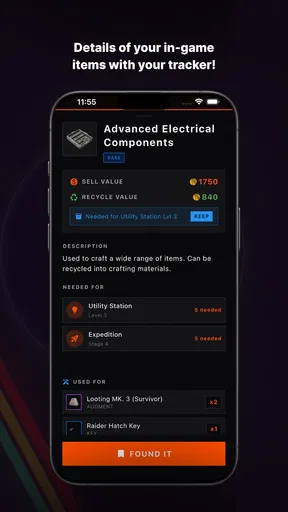
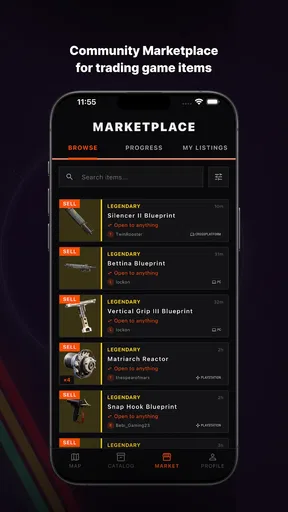
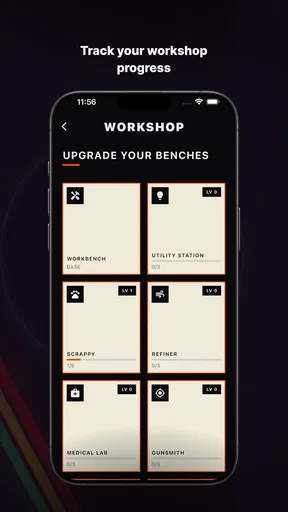
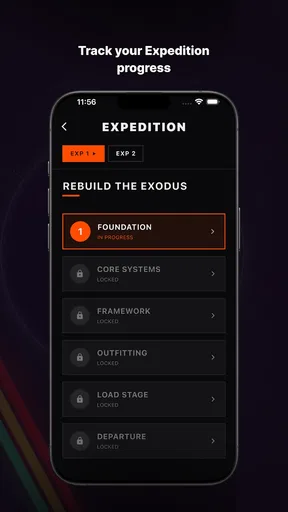
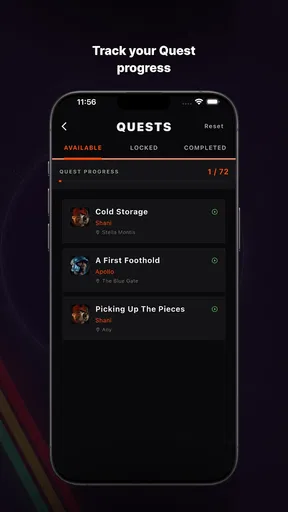
 Analysis by AppCompare
When I’m deciding whether to use a community map for a game, I first ask what it helps me do and what I would need to share to use it. ARC Raiders - Map & Tracker is a free Maps & Navigation app from brightfox, built around an interactive map and a community location tracker for ARC Raiders. Its focus is narrower than a general-purpose navigation app, which is useful if I want game-related map help rather than directions for getting around town.
Trust starts with a clear purpose
The app has a 4.7 average from around 3,700 ratings, and it has passed 50,000 installs. Those figures suggest that plenty of players have tried it, but they do not tell me exactly how the app handles information or whether every community contribution is accurate. I treat popularity as context, not as a substitute for checking what I’m choosing to share or relying on.
That distinction matters for a location-focused tool. A map can be helpful without requiring me to publish anything personal, but community functions may involve choices about what I post or discuss. I would keep notes and messages focused on game information, avoid adding identifying details, and check any on-screen prompts before submitting content. That is sensible practice for any community app, especially one I use alongside a game.
What I would check before using community features
I would begin with the map itself and decide whether it gives me enough value without joining conversations or posting. Then I would look at the controls shown in the app before using any social or tracking option: what action is being requested, whether it is optional, and whether I can change course without losing the basic map experience. Those are practical checks, not assumptions about hidden settings.
For a player who only wants help planning a route or checking a location, this distinction can shape the whole experience. Use the map as a reference first; add community participation only if it solves a real problem, such as comparing observations with other players. If a prompt asks for information I do not want to provide, I would pause rather than tap through automatically.
Where trust and usefulness meet
A community map is only as helpful as the details a player can interpret and the context around them. I would treat shared locations as guidance to investigate, not as a guarantee that a spot will be useful on every run. Conditions in a game can change, and another player’s observation may be incomplete or out of date. Cross-checking a useful hint against what I see in the game is a better habit than following a marker blindly.
This is also why I would not use a game map as a replacement for ordinary navigation or as a reason to share real-world location information. The app’s purpose is tied to ARC Raiders, so I would keep its role there: planning and discussing in-game exploration. For real-world travel, a standard navigation app is the more appropriate choice.
Worth Reading Before You Choose

Flipboard Shows What News Apps Must Do Beyond the Feed

Switching to Android Auto Means Rethinking Your Driving Routine

Google Calendar Makes a Crowded Week Easier to Manage

Ludo King Makes the Most of the Minutes Between Plans

Baby Panda World Brings Quick Play to Modern Phones, but Its Game Library Feels Busy

ESPN’s Live Game View Makes Following Close Games Easier
How the map fits into an ARC Raiders session
From the moment I launched ARC Raiders - Map & Tracker, I was greeted by a sleek and intuitive interface. The app's design is both modern and functional, making it easy to navigate even for the tech-challenged among us. The first thing that caught my eye was the detailed map. It’s like Google Maps, but on steroids and specifically tailored for gamers and adventurers.
What’s really cool is how the map isn’t just a static image. It’s interactive, filled with dynamic elements like real-time weather updates and terrain changes. I found myself getting lost (in the best way possible) just exploring the different features. Want to know what the weather’s like in a particular location? Just click, and boom, you’ve got a detailed forecast.
Tracking Your Progress
One of the standout features is the tracker. It’s not just about marking where you’ve been but about plotting where you’re going. I loved how user-friendly it was to set waypoints and track my progress. Whether you’re on a quest or just wandering, the tracker keeps you updated on your journey’s milestones. It’s perfect for those who love to see their progress visually laid out.
The app also offers a logbook feature. I found myself jotting down notes about my adventures, which I could later refer back to. It’s a nifty feature that adds a personal touch to your journeys.
Community and Connectivity
Another aspect that I found impressive was the community integration. The app isn’t just about solitary exploration; it’s about connecting with other adventurers. There’s an in-app message board where users can share tips, post updates, and even organize meetups. It’s like having a community of fellow explorers right in your pocket.
Plus, the connectivity doesn’t stop there. The app syncs seamlessly with other devices, ensuring you have access to your maps and trackers wherever you are. It’s a game-changer for those who switch between devices frequently.
A few practical ways to use it
I get the most from a map-and-tracker tool when I decide what I need before opening it. If I’m about to start a session, I can use the map to orient myself and choose a destination, then use the tracker to keep that plan visible as I play. That is more useful than tapping around without a goal, especially when I have limited time and want to make a particular trip count.
A realistic routine might be to check the map before a session, note a point of interest, and keep a short log entry afterward about what I actually found. The important detail is to separate a planned route from a confirmed result: a waypoint records an intention, while a logbook note can preserve what happened. That small distinction makes later notes more useful than a collection of unexplained pins.
For a group, I would use the community board to compare observations and coordinate around information that is genuinely helpful, rather than treating it as a live command channel. A post can be a useful lead, but it is still another player’s account. If I’m playing solo, the map and my own notes may be enough; if I’m playing with friends, a shared discussion can help align plans without requiring everyone to explore the same screen independently.
How it compares with ordinary map options
A general map app is designed to help people navigate real places, while this one is aimed at ARC Raiders. That specialization is the reason to choose it: the map, tracker, and community context are relevant to a game session rather than roads, shops, or transit. The trade-off is that it is not a universal map utility. I would not install it expecting it to replace everyday navigation, and someone who does not play ARC Raiders has little reason to use it.
Compared with relying on memory, screenshots, or a conversation outside the app, an interactive map can keep planning and location references together. But those simpler alternatives can be preferable when I only need one reminder or do not want another app in my routine. The tracker and logbook matter most to players who revisit routes and learn from previous sessions; they add less for someone who plays casually and rarely needs to retrace a plan.
I would also distinguish a community map from an official in-game source. A community contribution can be helpful for sharing tips, but I would verify important details in the game itself. If accuracy is crucial to a decision, checking directly is safer than assuming a marker or post is current. That habit preserves the convenience of community knowledge without asking it to be more authoritative than it is.
Who should try it, and who can skip it
I’d recommend trying it if ARC Raiders is a regular part of your gaming and you like planning where to go, keeping track of progress, or learning from other players. The logbook is especially appealing if you tend to forget why you marked a place; a short note can make a marker meaningful when you return. The community angle suits players who enjoy exchanging practical observations, provided they are comfortable using an in-app message board.
I would skip it if you want a conventional map for everyday errands, if you rarely use location references while playing, or if you prefer to keep all game planning informal. It may also feel like unnecessary overhead if you already have a routine that works with in-game information and personal notes. A dedicated companion tool is most worthwhile when it reduces friction, not simply because it offers more screens to explore.
The app is free to install, though it includes in-app purchases priced from $1.99 to $15.99 per item. I would start with the free experience and decide whether I actually use its map, tracker, or community tools before considering a purchase. That approach is especially sensible for a focused companion app: the value depends on how often its particular tools fit into your sessions, not on the number of options available.
Small points worth checking as you go
The app is rated for Everyone and runs on Android 7.0 or later. Its current version is 1.0.21, so I would keep it updated through the store if I decide to make it part of my routine. A current install is a practical starting point for using a map tool, but I would still verify important in-game information instead of assuming that a version number guarantees every detail is current.
Before depending on sync across devices, I would test the workflow with a low-stakes marker or note and confirm that the information I care about is available where I expect it. This is a useful habit whenever a tool claims to make content accessible across devices: it catches sign-in or setup friction before I have built a session plan around it. I would also avoid recording anything in a logbook that I would not want associated with my account or shared context.
One question many players will have is whether they need the community side to benefit from the map. I would approach the app map-first and see whether it works for my needs before posting or messaging. Another is whether a suggested location should be treated as reliable; my answer is to use it as a lead and confirm it in the game. And if I only want a one-off hint, a quick community search or a personal note may be simpler than maintaining a full tracking routine.
A Few Things to Note
Now, I’ve gotta say, while the app is fantastic, it’s not without its quirks. During my time using it, I did notice a slight lag when loading the map in remote areas. It wasn’t a deal-breaker, but it’s something to keep in mind if you’re planning to explore less-traveled paths.
Also, while the app is rich in features, it can be a bit overwhelming at first. There’s a bit of a learning curve, but once you get the hang of it, navigating becomes second nature.
Wrapping It Up
Overall, ARC Raiders - Map & Tracker is a robust tool for anyone who loves a good adventure. Its combination of detailed mapping, tracking features, and community interaction makes it more than just an app—it’s an experience. Whether you’re a seasoned adventurer or a newbie explorer, it’s worth checking out.
So, if you’re ready to embark on new quests and connect with fellow adventurers, give ARC Raiders - Map & Tracker a shot. Who knows? Your next great adventure might just be a tap away!
Pros
- Intuitive user interface for easy navigation.
- Detailed maps with real-time updates.
- Customizable tracking features.
- Offline mode available for remote areas.
- Seamless integration with social media.
Cons
- High battery consumption during use.
- Requires constant internet for updates.
- Limited language support.
- In-app purchases can be pricey.
- Occasional crashes on older devices.
FAQs for ARC Raiders - Map & Tracker
What is ARC Raiders - Map & Tracker, and how does it work?
ARC Raiders - Map & Tracker is an app designed to enhance your experience in the ARC Raiders game by providing detailed maps and tracking tools. It helps players navigate the game world, locate resources, and track objectives. The app syncs with your game account, offering real-time updates and a comprehensive overview of your progress.
Is ARC Raiders - Map & Tracker free to use?
Yes, ARC Raiders - Map & Tracker is available for free download on both Android and iOS platforms. While the basic features are free, there might be in-app purchases or subscriptions for advanced features or ad-free experiences. Be sure to check the app store for specific pricing details.
What devices are compatible with ARC Raiders - Map & Tracker?
ARC Raiders - Map & Tracker is designed for Android and iOS devices. It requires Android 5.0 or later and iOS 11.0 or later, ensuring compatibility with a wide range of smartphones and tablets. Always check the app store description to ensure your device meets the necessary requirements.
How does ARC Raiders - Map & Tracker enhance gameplay?
The app enhances gameplay by providing detailed maps and tracking tools, allowing players to strategize effectively. With real-time updates and alerts, users can locate essential resources and objectives easily, optimizing their in-game performance. It's a valuable tool for both casual players and those looking to gain a competitive edge.
Are there any privacy concerns with using ARC Raiders - Map & Tracker?
ARC Raiders - Map & Tracker requires access to your game account to provide real-time updates and sync your progress. The app follows standard privacy protocols to protect your data. Always review the app's privacy policy to understand how your information is used and ensure it aligns with your privacy preferences.


